How it works
Simple on the surface, careful underneath.
Add the folders you care about
You pick folders with the standard macOS open dialog. The app remembers them with a security-scoped bookmark, so macOS stays in control of what it may read.
It measures sizes, not contents
A background sampler walks each folder and adds up file sizes using file metadata only. It never opens your files, so documents kept in iCloud are not downloaded.
It keeps a history
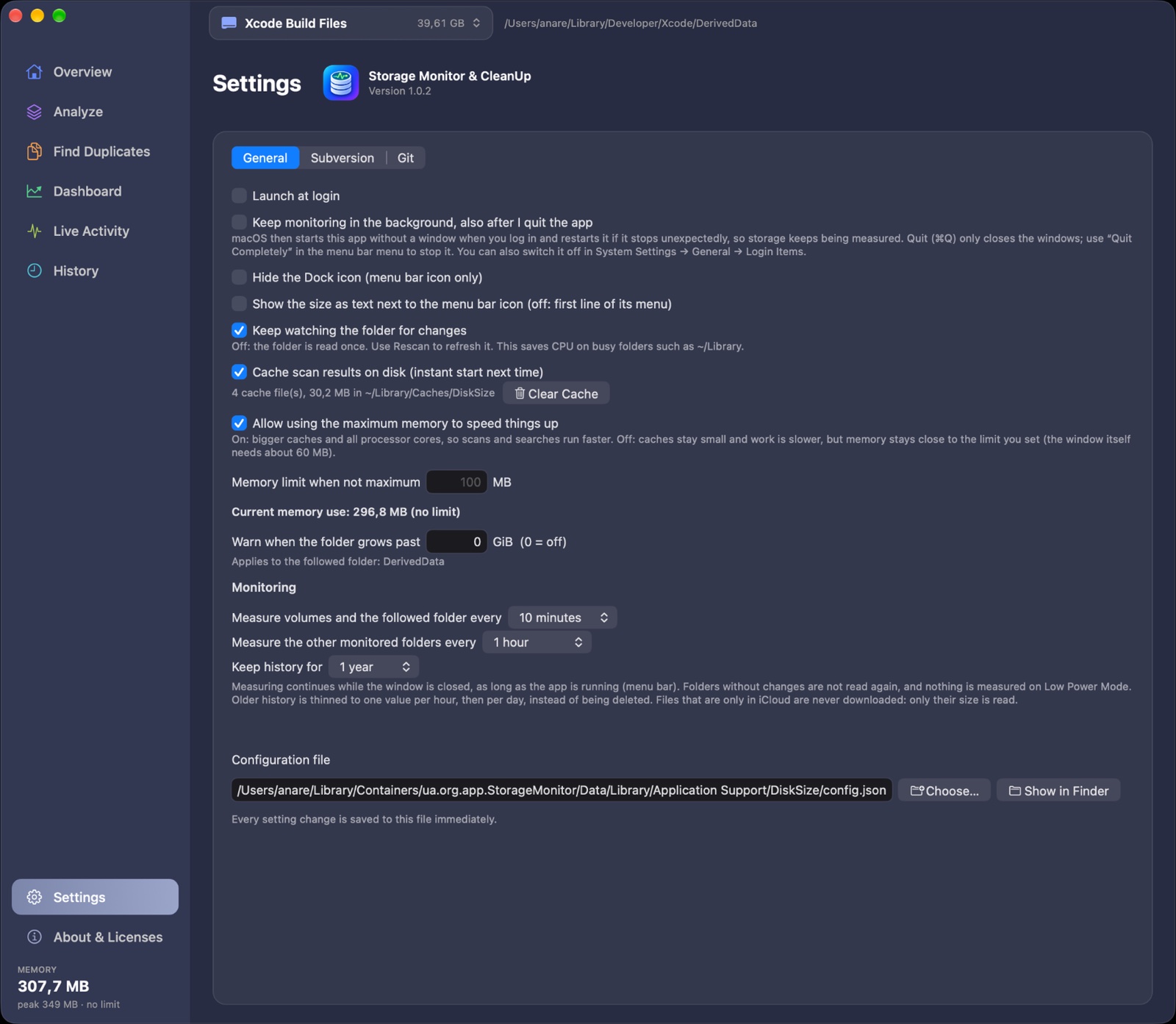
By default your followed folder is measured every 10 minutes and other folders every hour. You can change both in Settings. Volume free space is recorded too.
It thins old data
Recent samples are kept in full, then one per hour for 30 days, then one per day for up to a year (your choice). The history file stays small and your trend stays intact.
It explains growth, carefully
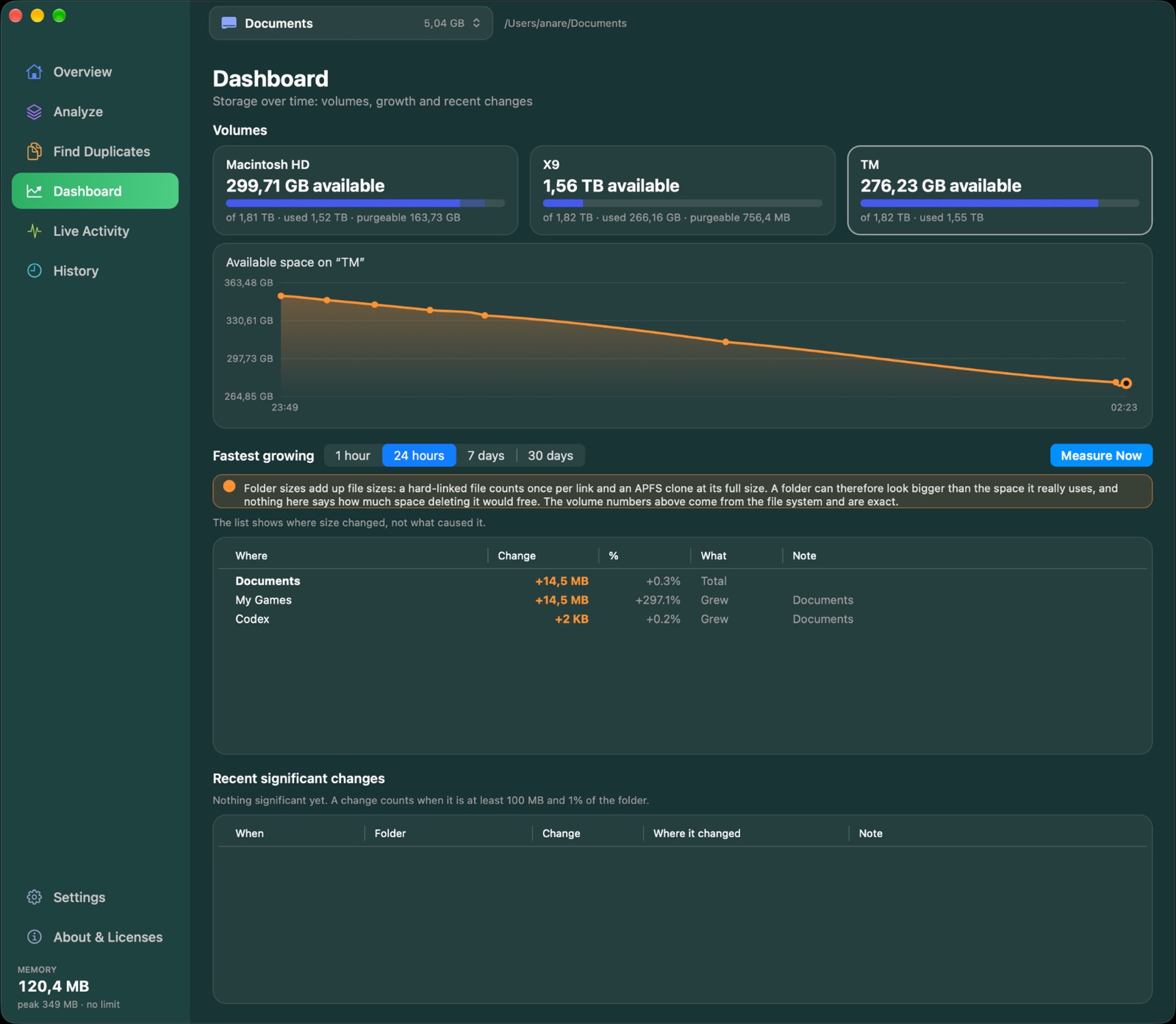
The Dashboard ranks folders by growth over 1 hour, 24 hours, 7 days or 30 days and flags unusual jumps. Incomplete measurements are left out. The app tells you what grew, never what caused it.
It can keep watching after you quit
If you turn on background monitoring, the app registers a login item that keeps sampling quietly. It pauses in Low Power Mode and under heat. Switch it off any time in Settings or System Settings.
Good to know
Hard links and clones
Folder sizes count each hard link and APFS clone separately, so a folder can look larger than the space it truly uses.
Purgeable space
Free space includes space macOS can reclaim by itself. The app shows it separately and does not promise that anything is reclaimable.
Protected folders
Folders macOS does not let the app read are reported as not readable, and that measurement is marked incomplete.
Gaps
Nothing is measured while neither the app nor its background item is running.
Mac App Store · price may vary by region
- All features included
- No subscription, no ads
- No account, no tracking
View on the Mac App Store